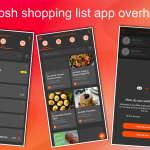
If modifications exist, they are batched together and sent to the server as a whole. This significantly reduces network traffic and speeds up the app. The change also makes it possible to use the app when you are completely without network coverage, e.g. in an underground grocery store.
To sync the list, you just use pull-to-refresh (place finger on the list, move it down a bit, and release your finger). If you don’t do so, the app will sync by itself the next time it is launched or by itself within some seconds (if modifications exist). The same applies if you’re out shopping and marking stuff as purchased – again you should use the pull-to-refresh or wait for the auto-sync as this will not only save what you’re marked as bought, but also check if your spouse added anything to the list.
Note: If you pull-to-refresh while the Grosh servers are unavailable, you will see a message about being offline, and that you can continue to use the app.
Also note that you can switch autosync off under Settings-Functions.