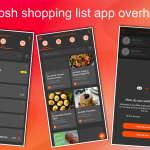
Grosh 5.3 is a service release with minor improvements. Based on user feedback, we’re improving how to share with the app and also on data quality. Besides this, we’ve fixed various bugs.
Sharing with universal links
We’ve added support for universal links to the Grosh. What it means is the same (hence the name universal) link can be shared to friends and family and opened using both the webapp (users without a Grosh account) and both of our mobile apps (Android, iOS – when that is installed on a device / user has a Grosh account).
How to share your new recipes
In the webapp, you can just copy the URL of a recipe in the browser and paste in a mail or on social media if you’ve made a good recipe. Or if you’re using the phone app, select Share from the context menu of the recipe to get hold of the sharing link.
Users that tap the link and have the app installed will automatically open up the recipe and can tap Bookmark. Other users can preview the recipe without the app and later on decide if they want to get it and bookmark the recipe.
Data quality
The app relies on crowdsourcing for most data in the app. This means that what one user enters is reused for other users (in the same area using same language), e.g. for pretype on grocery names, how they are categorized, how sorting is performed per store location etc.
This means there is an inherent challenge to ensure data quality. The release introduces a new screen for users to see all grocery names available in the system and indicate which ones are not spelled correctly by a swipe. Just head over to Settings – Values – Groceries to do so. Either scroll to the name in question or search for it, then swipe to hide. Based on how many groceries are hidden by how many, we will get a better foundation to keep things tidy in the app.
Also new in this version is assignment of default grocery to a brand. If you use a brand to add an item, the system will ask you which grocery you’re adding. Based on the most frequent grocery use for a brand, the app will automatically assign this for other users. This is part of keeping data tidy in the app and enable automatic suggestions for what you might be needing in your household.
Other minor improvements and bug fixes
- Camera screen has preview and allows rotating photo
- Item detail screen shows who and when the item was added
- Input field now show a warning if fIeld length exceeded
- Progress indicator during login and list selection
- Trip mark location as not a store not working
- Offline warning immediately after resume for no reason
- History details not calculating trip price
- In app purchase streamlined with more clear progress indicator, and ability to remove and restore premium and avoid app freezing during restore
- Fixed send app log to support
- Stocklist add saves wrong date
- Cannot delete own store
- Webapp: Various UI fixes
- Android: Select list refresh and scrolling not working
Kind regards
The Grosh Team
PS As always, if you have any problems or have questions about Grosh, you can always send a message straight from the app under Menu-Information-Messages or send an email to support at groshapp.com