Fromto is simple to use wish list app without sponsored contents, now out in version 2.1 which supports easy sharing to people that don’t want an app installed.
Here is everything you need to know about this version.
Introducing Public Wish Lists
By default wish lists are now public in Fromto, but you may toggle this OFF under list settings.
Why public lists? This is especially great for wish lists, where you want to let others know what’s on your list without downloading an app or making an account.
Sharing made simpler
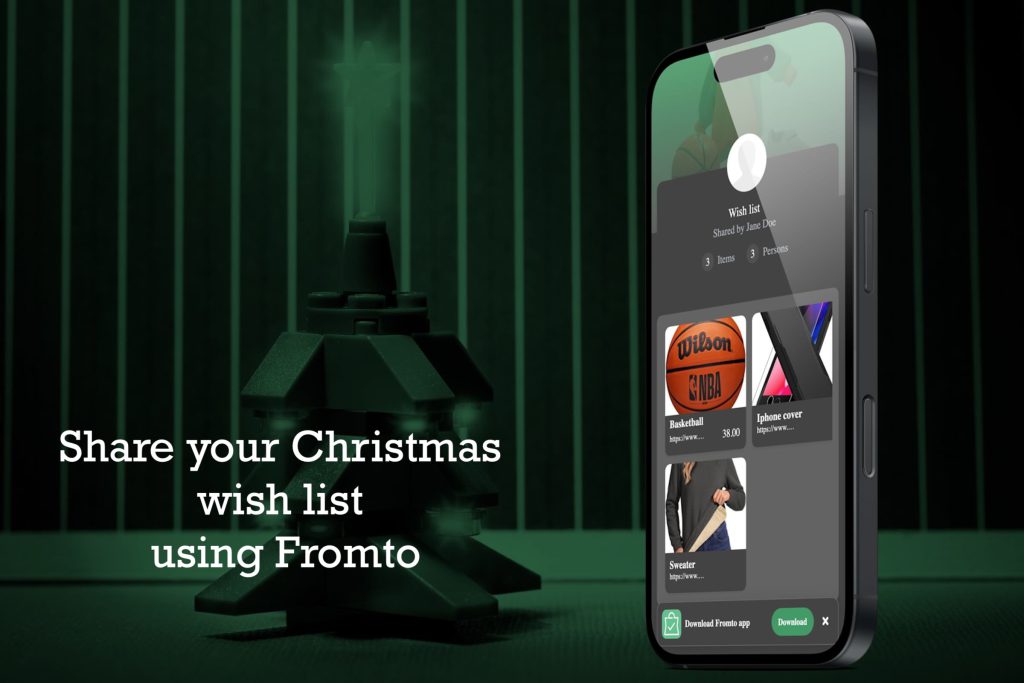
For a list that’s marked public, the sharing screen now allows sharing link to the public “readonly” list. The link can be opened by anyone you share it with. The link shows the contents in a readonly screen in a web browser, and it renders well both on desktop or mobile screens. The recipients can see the list contents and open up item details, but not do any modifications.
How to request access
From the readonly list, open item details and press the “Update” button. This will trigger a request for access to the list which will be received by the list creator by email.
Typically, someone with readonly access would like to reserve an item so that others won’t buy the same item.
How to approve access
Once the list owner gets the request, he or she can press a link in the email to open the request in Fromto. In there, the list owner can see the profile of the requestor, and decide to grant access or not.
More guidance in the user interface
Wish lists now have better assistance in the user interface. Before you had to select a user from the “to” field to indicate a wish was “ready”. Similarly, shoppers you shared the list with had to select their name from the “from” field.
Now there’s dedicated buttons to fill in the “from” and “to” fields.
- If nobody is assigned yet as recipient (“to” field), then a Publish button appears.
- Similarly, other users can press “Reserve” to assign the current item to themselves (button not shown if already assigned to another user)
Note: Readonly lists only include published items.
Share to app
When you’re in another app or in the mobile web browser, you can select share to app. This makes it easy to store a your wish in Fromto. However, this was restricted to apps that shared a URL, and apps that included extra text like “Please check out my LINK” did not work. Now Fromto supports share to app from app that shares link within text. For instance, spotted a good wine in Vivino, then just share to Fromto from Vivino!
Kind regards
The Fromto Team
PS As always, if you have any problems or have questions about Fromto, you can always send a message straight from the app under Menu-Information-Messages or send an email to fromto at compellingsoftware.com