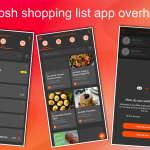
Welcome to Grosh 5.4! This release is focused on introducing highly requested features, optimizing core navigation, and delivering a massive boost to overall performance and stability.
Fun fact: As you may know, we started developing Grosh 10 years ago, and at regular intervals we’ve updated the underlying technology. Our previous major technological update was in 2020, and it’s now time to launch another technological update. It’s hard to tell the difference looking from the outside, but you will notice the improved performance right away when you start using the app
Here is everything you need to know about this version
Performance Improvements
- Sub-second start times: Open the app and get straight to your shopping list or recipe instantly. We have dramatically optimized the initial launch sequence.
- Faster navigation: Moving into item detail screens and jumping back is now much faster
- Improved iOS purchases: Enjoy a faster, more robust system for handling Premium purchases and restoring previous subscriptions on iOS.
Rebuilt Apple Watch app
- We have completely reimplemented our Apple Watch app from scratch!
- Expect a much smoother on-wrist operation and a significantly more stable data sync during the initial app startup.
Introducing Grocery Tags
- By popular demand, we are bringing the power of recipe tags straight into your grocery lists.
- Dietary labels: You can now apply diet-related tags (such as “gluten-free” or “vegan”) directly to specific list items. This helps the system better understand your needs and allows for smarter, more powerful filtering.
- The new ‘Unimportant’ tag: We have expanded our generic tags (like “eco” and “important”) to include an “unimportant” label. Use this to flag non-urgent items—perfect for letting the shopper know to grab it only if there is a good discount or offer.
- Effortless tag selection: Finding tags is now easier than ever. Your favorite tags automatically appear at the front of each section. Need something else? Just type at the top to search across all categories instantly. You can now select or deselect multiple tags across different sections in one go. This applies to both recipes and grocery tags.
Improved recipe scaling
- (Premium only) In case you set your household “persons” (under list settings), recipes details autoscale in the app when you look them up. Before the setting was only applied when adding meal plans.
Consistent and Predictable Navigation
- Manual save control: On the item details page, making a modification will now reveal an explicit “Update” button to commit your changes. If you change your mind and want to bail out without saving, simply hit the back button. No more accidental overwriting!
- This predictable save/cancel pattern has also been deployed to the Shopping Trip Details and Meal Plans Details screens, completely replacing the old “autosave without reset” behavior.
Kind regards
The Grosh Team
PS As always, if you have any problems or have questions about Grosh, you can always send a message straight from the app under Menu-Information-Messages or send an email to support at groshapp.com